
Photoshop® Quick-fix
Advanced techniques to refine your large-scale surface designs

Are you struggling to create high quality, complex seamless print files, color variants or mock-ups?

Photoshop® Quick-fix is a private 1-on-1 online session where I help you refine complex surface designs in just one hour.
create high-standard print-ready designs
fine-tune complex details
deliver professional-quality results
perfect your design process
work faster and more precisely at an expert level
save hours on every project
Featured in:


FINETUNE YOUR WORKFLOW
2D VISUALS - MOCK-UPS


For high level advertisements, presentations, and pre-sales. Visualize a design on a final product, before it is produced. Create areas in the photo where different colors or patterns will be applied, adjust shadows, test color and size in advance.
All within a workflow that allows for quick switching between colors and patterns.
COLOR VARIANTS

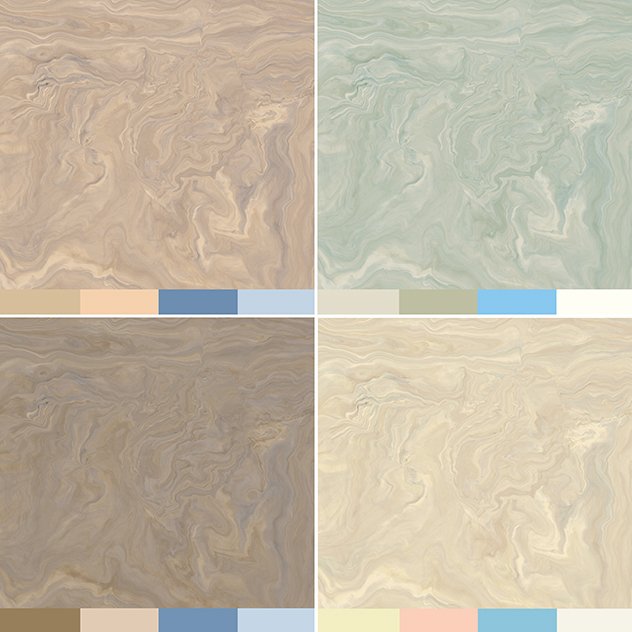
You can create unlimited color variants of a single pattern using a scan. Preserve color nuances, contrast, and details. Various methods are available.
Ideal for visuals or for printing on a wide range of materials such as wallpaper, panels, carpet, vinyl, fabric, and more.
SEAMLESS REPEATS


When you join the edges of a scan, you may notice a seam. We need to create a seamless loop in the pattern and correct the color difference on both halves to achieve an endless design.
A must for endless printing on wallpaper, carpet, vinyl, panels, fabric, or as a texture in mock-ups & visuals …
CORRECTIONS

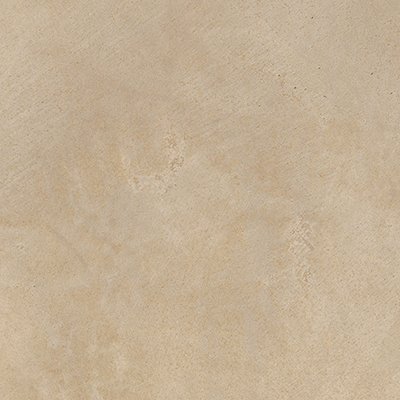
Correcting eye-catching elements in a scan, such as spots, color deviations, unnecessary details, errors, dust particles, scratches... Removing, adjusting, or adding them.
Adjust contrast, color, and details to avoid unwanted color spots when further editing later on.
15+ years of experience as surface designer - Photoshop ® & digital print pro
READY TO REFINE YOUR PHOTOSHOP® SKILLS?
I’ll show you my workflow and layers during a 1-on-1 Photoshop® Quick-fix hour
tailored to your needs and questions
so you can upscale to create high standard surface designs & print-ready files.
WHAT YOU WILL LEARN
Tackle complex textures & decorative motifs in full-color designs
Work with high precision and double the speed
WHAT YOU GET
A look at my expert workflow with all layers in Photoshop®
1 hour online session 1-on-1
A review of your file
Answers to your questions
Access to rewatch later
Expertise in creating files for digital printing machines such as Durst, Hymmen, Agfa, OCE, Kerajet, Roland, Epson, HP, Canon, Mimaki, …
HOW IT WORKS?
① Reserve a time slot at least 7 days in advance. Limited availability – slots fill up fast!
② Select English or Dutch for the demo – English Photoshop® version
③ Upload your file for review and your questions, up to 7 days before the call.
WHAT YOU WILL ACHIEVE
Attract High-Paying Clients
Deliver exclusive designs and custom layouts that wow your clients and fit perfectly in any interior setting.

Master High-Res Scans or Images
Turn any source material into print-ready, seamless patterns for digital or gravure printing on decorative surfaces as wallpaper, carpet, fabric, panels, vinyl, ceramic tiles …

Create More in Less Time
Double your speed and accuracy by learning my step-by-step techniques for creating high-quality designs.

Meet Deadlines Easily
Produce visuals for marketing and pre-sales before the physical product is even made.

WHAT STUDENTS SAY


WHO IS THIS FOR?
Designers & Creatives: Surface designers, Pattern designers, Print designers, Graphic designers, Texture designers, Interior architects, Print professionals
Printing Companies & Manufacturers: From small businesses to large printing companies, printing analog or digital, using roll printers or flatbed printers.
Photoshop® Users (Basic to Intermediate): Anyone looking to elevate their skills for seamless texture creation, surface design, color variants, color adjustments, mock-ups and scan corrections.
Languages: English & Dutch (Photoshop® version in English).
CLIENT LOVE


ABOUT ANNEMIE
"As a 'surface designer', Annemie works for printers, engravers and manufacturers of floors, doors, wallpaper, fabrics, walls, kitchen worktops, wall and furniture panels, wall art and even car dashboards.
She edits scans of materials in Photoshop: make corrections, adjust details - remove or add, change color and contrast where necessary. After the corrections she makes the print layout, at this stage the design is made seamless “allover”, so that the printer can print endlessly, without visible seams. In preparation for color matching, she first makes color separations and digital color studies in order to finally deliver different color variants as print-ready files.
During the design process she creates visuals/mock-ups: designs are placed on interior pictures to test how large the layout of a design should be, and which colors fit best in an interior. Those visuals are also used as a sales, marketing and publicity tool, because this way brands can work ahead and they do not have to wait to show the result in an interior until the material has actually been produced.
Her work is her passion and she takes on every new assignment and challenge with equal pleasure."
surface designer - photoshop & digital print pro
BOOK YOUR PHOTOSHOP QUICK-FIX SESSION

295 € excl. VAT/TAX
1 hour Live 1-on-1 Video Call
Includes prep, analysis of your file & questions, and a custom demo tailored to your needs.
Book up to 1 month in advance to secure your spot.
Is your timeslot not listed? Contact me
WHAT APPLICATIONS?

Panels
wall, table, door, kitchen worktop, cupboard doors, backsplash …

Wall covering
wallpaper, wall panels, photo wallpaper, wall art …
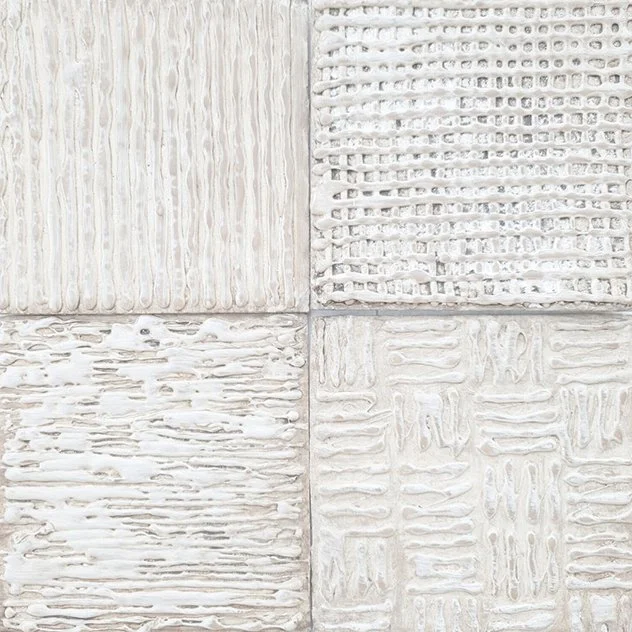
Floor covering
carpet, vinyl, laminate, LVT, ceramic tiles …

Fabric
curtains, cushions, plaids, bed linen, table linen …
COMMON QUESTIONS
-
• Select your preferred date, time, and time zone.
• Fill in the booking form, choose your topic and language, and write a message with as many details as possible about your request.
• You will then be redirected to a secure Stripe checkout page to complete your payment.
• After payment, you will see a thank-you page where you can upload your file(s).
• You will receive:
– an invoice email from Stripe
– a confirmation email from me with your selected date, time, time zone, the upload link and the meeting link• Please upload your files as soon as possible so I can review them before our session, at the latest 1 week before the scheduled date.
• Click the link at the scheduled time to join the session.
-
• I may have additional dates or times available that are not listed on the booking page.
• Contact me and include your time zone. I will reply within 48 hours.
• In some cases, early morning, evening, lunch-time, or weekend sessions are possible.
• You will receive date proposals together with a payment link and invoice. After payment, you will receive a confirmation with all booking details.
-
• You can reschedule your appointment up to 48 hours in advance.
• Please send me an email to request a new date.
• You can reschedule a maximum of 2 times. After the 3rd request, the appointment will be cancelled automatically without refund.
• You will not receive a refund in case of cancellation.
• This is a NON-refundable digital service. Please also read the Terms & Conditions and cancellation policy before booking.
-
• Video calls are held via Microsoft Teams or Zoom.
• You do NOT need a Teams or Zoom account — you can join directly from your web browser.
• You will receive a meeting link in your confirmation email.
• Click the link at the scheduled time to join the session.
• I strongly recommend joining from a computer or laptop. Due to screen sharing, phones are not suitable.
-
• Yes. If you have an advanced or complex request, contact me before ordering and describe your needs in detail.
• I will review your request and suggest a suitable approach.
• If needed, I will send you a tailored proposal that fits your level and goals.
-
• YES — this session is suitable for anyone working with Photoshop.
• If you are unsure, feel free to contact me first so we can discuss your needs and expectations.
-
• Each session focuses on one main topic, so you can select only one topic when booking.
• If you need help with multiple topics, please book separate sessions.
• You may include your most urgent extra questions in the intake form. If time allows, we can briefly address them within the 1-hour session.
-
• No. A 1-hour session is focused support, not a full training.
• Basic Photoshop knowledge is recommended so we can work efficiently.
• You can ask specific questions to solve a problem, improve your workflow, or learn faster methods.
• If you are completely new to a topic, contact me first. I can then suggest a more suitable learning path or a tailor-made program.
-
• About improving detailed corrections, adding/removing elements, or refining designs.
• About improving visuals, 2D renders, or mock-ups — for example adjusting pattern scale, improving shadows, or speeding up workflows.
• About fixing non-seamless files where visible seams appear in repeats (color, contrast, or design adjustments).
• About correcting photos or scans with uneven lighting, color, or contrast.
• About removing color stains or correcting specific areas in an image.
• About creating multiple colorways from one design for digital printing, based on the best method for your workflow and final result.
-
• Is your question not listed here? Feel free to contact me — I’ll be happy to help.
WHY ARE YOU WAITING?

🔒 Stripe is our secure payment provider.