
Photoshop® Quick-fix
Fix Your Texture Seam with Expert Help
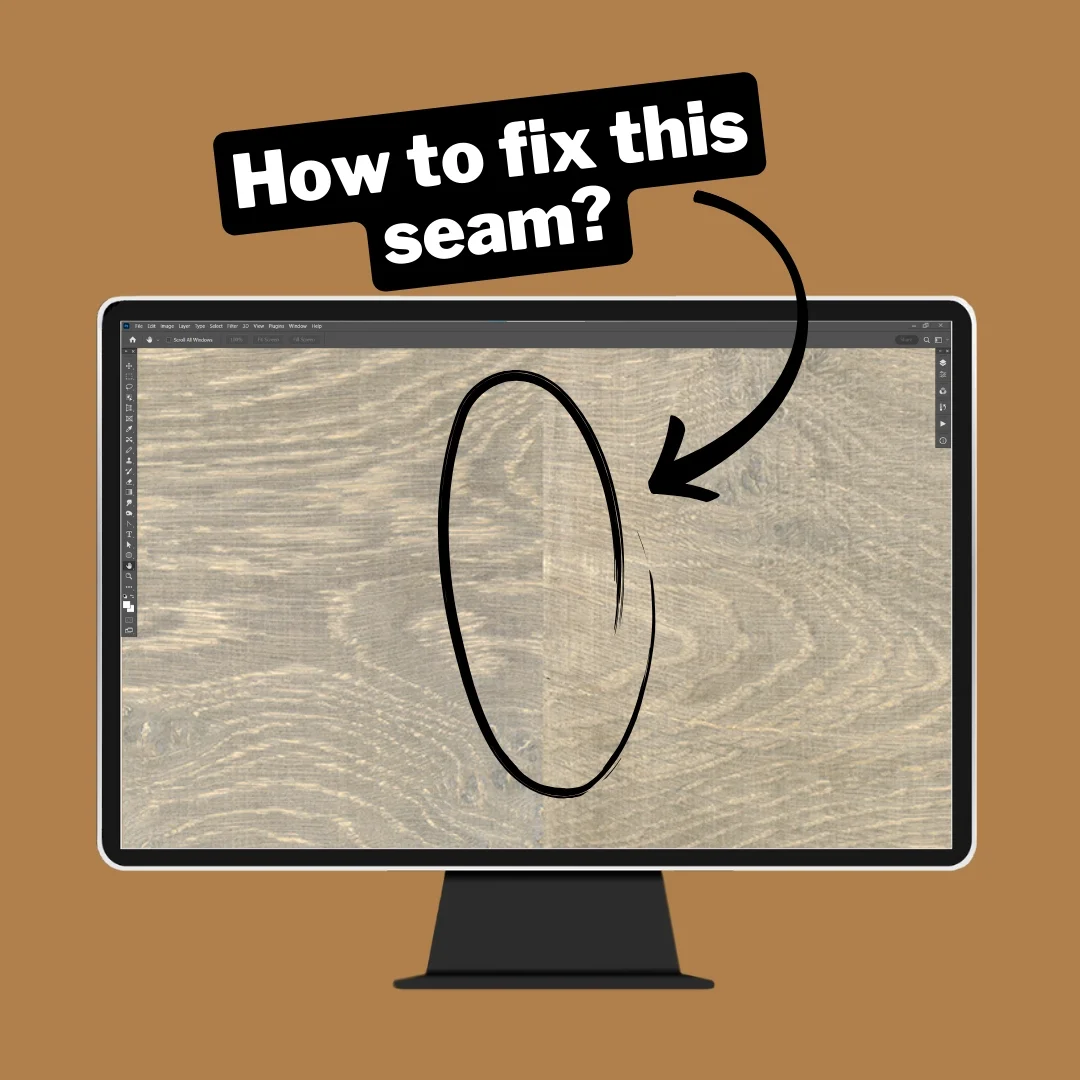
Struggling with a visible seam in your texture scan?
In this private 1-hour Photoshop session, we work directly on your design together to remove the seam and refine the texture so it looks natural and seamless.
Perfect for designers working with wood, stone, material scans, and repeating surface textures.
FIXING A VISIBLE SEAM
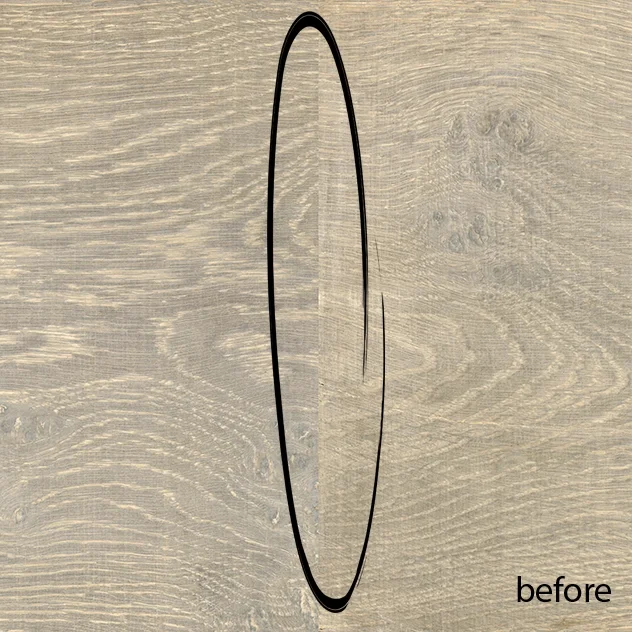
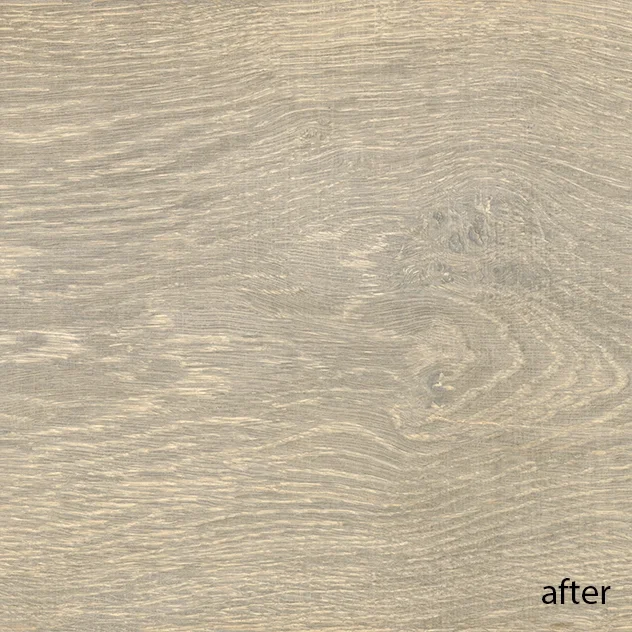
If the edges of a texture scan don’t align perfectly, a visible seam appears when the design repeats.
In the Quick-Fix session we adjust the texture so the seam disappears and the surface flows naturally.
Helping designers refine professional surface textures for production.

WHAT I HELP YOU WITH
If your texture still shows a seam or looks unnatural after repeating, we can solve it together.
During this session I can help you:
remove visible seams in texture scans
blend complex areas like knots or grain direction
fix repeating texture problems
improve natural flow in wood, stone or material scans
prepare your surface for professional use
15+ years of experience as surface designer - Photoshop® & digital print pro

HOW THE SESSION WORKS
① Send your file
Before the session you share your Photoshop® file and explain the issue.
② We meet online for 1 hour
We work directly on your design together.
③ Step-by-step refinement
I show you exactly how to adjust the seam and blend the texture naturally.
After the session you leave with:
✔ a clean seamless texture
✔ clear steps to apply to future projects
✔ practical answers to your questions
WHAT YOU GET
A look at my expert workflow with all layers in Photoshop®
A private 1 hour online session 1-on-1
A review of your file and answers to your questions
Practical techniques you can reuse
Expertise in creating files for digital printing machines such as Durst, Hymmen, Agfa, OCE, Kerajet, Roland, Epson, HP, Canon, Mimaki
BOOK YOUR PHOTOSHOP QUICK-FIX SESSION

1 hour Live 1-on-1 Video Call
295 € excl. VAT/TAX
Includes prep, analysis of your file & questions, and a custom demo tailored to your needs.
If your texture still shows a visible seam or looks unnatural when repeating, this session is exactly for you.
Perfect for designers working with texture scans for flooring, furniture or wallcovering.
After booking, you’ll receive instructions to send your Photoshop file before the session.
Is your timeslot not listed? Contact me
WHAT STUDENTS SAY


If your texture seam still doesn’t look natural after repeating, this session will help you fix it quickly and move forward with confidence.

COMMON QUESTIONS
-
• Select your preferred date, time, and time zone.
• Fill in the booking form, choose your topic and language, and write a message with as many details as possible about your request.
• You will then be redirected to a secure Stripe checkout page to complete your payment.
• After payment, you will see a thank-you page where you can upload your file(s).
• You will receive:
– an invoice email from Stripe
– a confirmation email from me with your selected date, time, time zone, the upload link and the meeting link• Please upload your files as soon as possible so I can review them before our session, at the latest 1 week before the scheduled date.
• Click the link at the scheduled time to join the session.
-
• I may have additional dates or times available that are not listed on the booking page.
• Contact me and include your time zone. I will reply within 48 hours.
• In some cases, early morning, evening, lunch-time, or weekend sessions are possible.
• You will receive date proposals together with a payment link and invoice. After payment, you will receive a confirmation with all booking details.
-
• You can reschedule your appointment up to 48 hours in advance.
• Please send me an email to request a new date.
• You can reschedule a maximum of 2 times. After the 3rd request, the appointment will be cancelled automatically without refund.
• You will not receive a refund in case of cancellation.
• This is a NON-refundable digital service. Please also read the Terms & Conditions and cancellation policy before booking.
-
• Video calls are held via Microsoft Teams or Zoom.
• You do NOT need a Teams or Zoom account — you can join directly from your web browser.
• You will receive a meeting link in your confirmation email.
• Click the link at the scheduled time to join the session.
• I strongly recommend joining from a computer or laptop. Due to screen sharing, phones are not suitable.
-
• Yes. If you have an advanced or complex request, contact me before ordering and describe your needs in detail.
• I will review your request and suggest a suitable approach.
• If needed, I will send you a tailored proposal that fits your level and goals.
-
• YES — this session is suitable for anyone working with Photoshop.
• If you are unsure, feel free to contact me first so we can discuss your needs and expectations.
-
• Each session focuses on one main topic, so you can select only one topic when booking.
• If you need help with multiple topics, please book separate sessions.
• You may include your most urgent extra questions in the intake form. If time allows, we can briefly address them within the 1-hour session.
-
• No. A 1-hour session is focused support, not a full training.
• Basic Photoshop knowledge is recommended so we can work efficiently.
• You can ask specific questions to solve a problem, improve your workflow, or learn faster methods.
• If you are completely new to a topic, contact me first. I can then suggest a more suitable learning path or a tailor-made program.
-
• About improving detailed corrections, adding/removing elements, or refining designs.
• About improving visuals, 2D renders, or mock-ups — for example adjusting pattern scale, improving shadows, or speeding up workflows.
• About fixing non-seamless files where visible seams appear in repeats (color, contrast, or design adjustments).
• About correcting photos or scans with uneven lighting, color, or contrast.
• About removing color stains or correcting specific areas in an image.
• About creating multiple colorways from one design for digital printing, based on the best method for your workflow and final result.
-
• Is your question not listed here? Feel free to contact me — I’ll be happy to help.
🔒 Stripe is our secure payment provider.
